
Table of Contents
ToggleVanilla Skyrim’s lighting is, let’s be honest, dated. Torches flicker without really casting light. Interiors are either blindingly bright or mysteriously illuminated by invisible sources. Dungeons that should be pitch-black somehow have ambient glow. It’s immersion-breaking, and if you’ve spent hundreds of hours in Tamriel, you’ve probably noticed.
That’s where lighting mods come in. They don’t just make Skyrim prettier, they fundamentally change how the game feels. Shadows become dynamic. Candlelight actually matters. Exploring a Nordic ruin at midnight becomes genuinely atmospheric instead of just… dim. Whether you’re running a modded setup on PC with an RTX 4080 or trying to squeeze better visuals from a mid-range rig, the right lighting mod can completely transform your playthrough without requiring a texture overhaul or ENB preset (though those help too).
This guide covers the best Skyrim lighting mods available in 2026, how to pick the right one for your hardware, and how to avoid the most common pitfalls that turn your game into a slideshow or a black screen simulator.
Key Takeaways
- A Skyrim lighting mod is one of the highest-impact visual upgrades you can install, affecting every frame of gameplay across cities, dungeons, and interiors with dynamic shadows and realistic illumination.
- Choose your lighting mod based on GPU hardware: ELFX or Lux for high-end systems, Lux or Relighting Skyrim for mid-range, and Relighting Skyrim for older or budget GPUs to maintain stable 60 FPS.
- ELFX, Lux, and Relighting Skyrim are the top-rated options in 2026, each offering different balances between visual quality and performance, with Lux emerging as the newest favorite for its cohesive interior lighting improvements.
- Proper load order and compatibility patches are critical to avoid conflicts with city overhauls, weather mods, and ENBs—use LOOT and SSEEdit to identify and resolve issues before they cause gameplay problems.
- Pair your lighting mod with matched ENB presets and weather mods for optimal results; mismatched combinations can create dark interiors, washed-out colors, or performance drops that compromise the experience.
- Test lighting changes by loading an interior cell like Dragonsreach after installation to verify the mod loaded correctly, and adjust in-game brightness settings or ENB ambient values if interiors become unplayably dark.
Why Lighting Mods Matter for Your Skyrim Experience
Lighting isn’t just eye candy. It’s one of the most impactful visual changes you can make to Skyrim because it affects every single frame of gameplay. Unlike texture packs that only shine in close-ups or weather mods that only matter outdoors, lighting overhauls touch everything, cities, dungeons, forests, and interiors.
Vanilla Skyrim uses what’s called “ambient lighting,” meaning light sources don’t actually emit light in a realistic way. A candle might glow, but it won’t cast shadows or illuminate nearby objects. This was a performance compromise back in 2011, but modern hardware can handle real-time lighting calculations without breaking a sweat. Mods like Enhanced Lights and FX or Lux replace this flat system with dynamic shadows, proper light falloff, and realistic color temperatures.
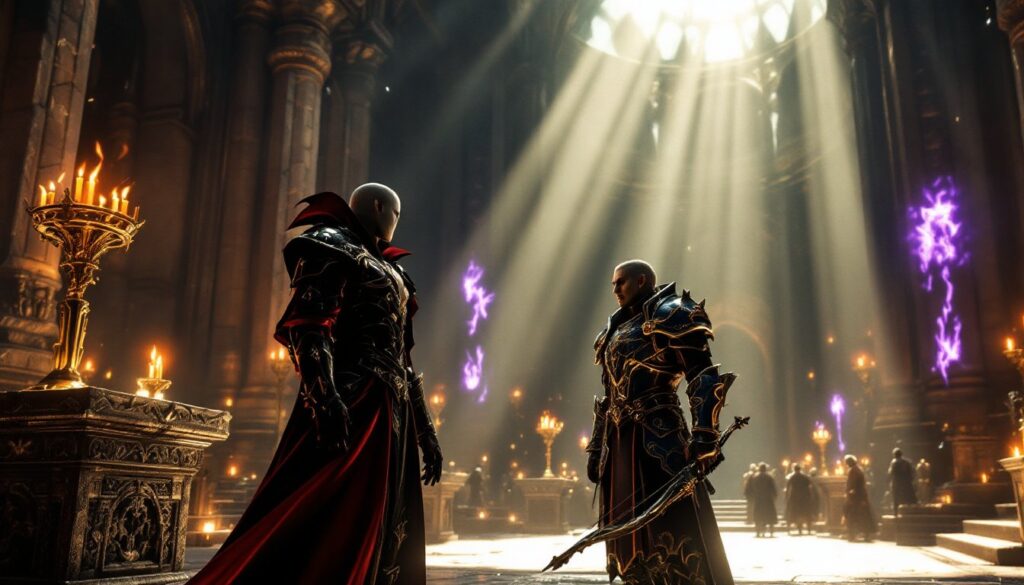
The result? Atmosphere. Walking into a dimly lit tavern at dusk actually feels cozy. Exploring Bleak Falls Barrow with only a torch creates tension. Sunlight streaming through Solitude’s windows during golden hour looks like a screenshot from a 2026 RPG, not a game that predates the PS4. If you’re spending time modding Skyrim, lighting should be one of your first priorities, it’s the foundation that makes everything else look better.
Top Skyrim Lighting Mods You Need to Install
Enhanced Lights and FX (ELFX)
ELFX has been the gold standard for Skyrim lighting since Special Edition launched. It overhauls both interior and exterior lighting, removing most of vanilla’s fake light sources and replacing them with realistic illumination. The mod includes separate plugins for interiors, exteriors, and weather integration, so you can mix and match based on your preferences.
What sets ELFX apart is its design philosophy: light sources should be visible and logical. If a room is lit, there’s a torch, candle, or window explaining why. Dark areas are actually dark, bring a torch or a light spell. The Enhancer plugin pushes this further, adding more pronounced shadows and contrast, though it can be too dark for some players. Available on Nexus Mods, ELFX remains one of the most downloaded lighting overhauls in 2026, and for good reason.
Performance is solid on most systems. Mid-range GPUs like the RTX 3060 or RX 6700 XT handle it without issue at 1080p or 1440p. If you’re planning to pair it with an ENB, expect a 10–15 FPS hit depending on your preset.
Relighting Skyrim
Relighting Skyrim takes a more conservative approach than ELFX. Instead of overhauling the entire lighting system, it repositions existing light sources and adjusts intensity values to create more natural illumination. This makes it highly compatible with other mods and significantly lighter on performance.
The philosophy here is subtlety. Relighting Skyrim won’t blow you away with dramatic shadows or moody dungeons, but it fixes vanilla’s most glaring issues, like the mysterious glow in supposedly dark caves or the harsh, flat lighting in major cities. Many modders use this as a base layer, then stack weather mods or ENBs on top for additional visual punch.
If you’re running an older GPU (GTX 1060, RX 580) or targeting 60 FPS with a heavy mod list, Relighting Skyrim is your best bet. It’s stable, widely compatible, and plays nicely with nearly every weather or texture mod out there.
Lux
Lux is the newest contender in the lighting mod arena, and it’s quickly becoming a favorite in the modding community for its balance of visual quality and performance. Released in late 2023 and updated through 2025, Lux completely reworks interior lighting with hand-placed light sources and volumetric effects where appropriate.
Unlike ELFX, which can sometimes feel oppressively dark, Lux aims for a more balanced approach. Interiors are still darker than vanilla, but not to the point where you’re stumbling blind through every dungeon. The mod also includes optional patches for nearly every major city overhaul and quest mod, making integration straightforward for players with extensive modded setups on PC.
Lux requires Lux Orbis for exterior lighting if you want the full package. Together, they create one of the most cohesive lighting experiences available in 2026. Performance is comparable to ELFX but slightly better optimized, especially in dense interior spaces like the College of Winterhold or Dragonsreach.
Realistic Lighting Overhaul (RLO)
RLO is one of the oldest lighting mods still in active use, dating back to the original Skyrim release. It’s been updated for Special Edition and Anniversary Edition, though development has slowed compared to newer alternatives.
RLO’s strength is its comprehensive approach. It touches interiors, exteriors, weathers, and even adds environmental effects like improved fog and godrays. The result is a darker, more atmospheric Skyrim that emphasizes the harsh, northern climate. Dungeons feel genuinely dangerous, and nighttime exploration becomes a calculated risk.
The downside? Compatibility. RLO conflicts with many popular mods, and its aggressive changes sometimes create issues with custom player homes or city overhauls. It’s also more performance-intensive than Relighting Skyrim or Lux. Still, if you want that old-school modded Skyrim aesthetic and are willing to spend time patching conflicts, RLO delivers.
Tamriel Reloaded – Grass & Lighting Edition
Tamriel Reloaded is less of a pure lighting mod and more of a visual overhaul package that includes lighting improvements alongside grass, landscape, and water enhancements. The lighting component focuses on exterior areas, adjusting sunlight, moonlight, and ambient lighting to create more vibrant, colorful environments.
This mod pairs well with weather overhauls because it enhances how different weather conditions interact with light. Stormy days feel appropriately gloomy, while clear mornings have that crisp, saturated look you’d expect from Nordic wilderness. It’s less dramatic than ELFX or RLO but offers a noticeable upgrade over vanilla.
Performance is moderate. The grass component can be taxing on lower-end systems, but the lighting itself is relatively efficient. If you’re looking for an all-in-one visual upgrade without diving deep into load order management, Tamriel Reloaded is a solid pick.
How to Choose the Right Lighting Mod for Your Setup
Performance vs. Visual Quality
Your GPU is the deciding factor here. If you’re running high-end hardware (RTX 4070 or better, RX 7800 XT or better), you can handle any lighting mod plus an ENB preset without compromising 60 FPS at 1440p. Go with ELFX or Lux for maximum visual impact.
Mid-range setups (RTX 3060, RX 6700 XT, or equivalent) should stick with Lux or Relighting Skyrim. Both offer excellent visuals without the frame rate tanks associated with more aggressive mods. Skip the heavy ENB presets unless you’re comfortable dropping to 45–50 FPS in dense areas.
Older or budget hardware (GTX 1060, RX 580, integrated graphics) needs Relighting Skyrim. It’s the only lighting mod that consistently maintains 60 FPS on lower-end systems, especially if you’re also running texture packs or gameplay overhauls. Pair it with a performance-focused weather mod like Obsidian Weathers, and you’ll still get a massive visual upgrade over vanilla.
Console players on Xbox Series X or S have access to some lighting mods through the Xbox platform, though options are more limited. ELFX and Relighting Skyrim both have Xbox-compatible versions, but check file sizes and load order recommendations carefully.
Compatibility with ENB and Weather Mods
Lighting mods interact heavily with ENBs and weather overhauls, so choosing compatible combinations is crucial. ENBs adjust post-processing effects like ambient occlusion, depth of field, and color grading, but they rely on your lighting mod to provide the underlying data.
ELFX works with nearly every ENB preset, though some presets are specifically tuned for it (like Rudy ENB or Silent Horizons). If you’re using ELFX Enhancer, make sure your ENB supports darker interiors, or you’ll end up with pitch-black dungeons.
Lux has become increasingly popular with ENB authors in 2025–2026. Many new presets are built with Lux in mind, and compatibility patches exist for major weather mods like Cathedral Weathers and Obsidian Weathers.
Relighting Skyrim is the Swiss Army knife of lighting mods, it works with everything. Because it doesn’t drastically alter vanilla lighting values, ENBs and weather mods can layer on top without conflict. This makes it ideal for players who want to experiment with different visual combinations.
Weather mods like Cathedral Weathers, Obsidian Weathers, or NAT all include lighting adjustments for exteriors. Make sure your lighting mod doesn’t overwrite these changes, or vice versa. Most mod managers (MO2, Vortex) will flag conflicts, but read the mod descriptions carefully, many authors provide compatibility patches.
Installing and Configuring Skyrim Lighting Mods
Step-by-Step Installation Guide
Installing lighting mods is straightforward if you’re using Mod Organizer 2 (MO2) or Vortex. Manual installation is possible but not recommended, load order and file conflicts are too easy to screw up.
Step 1: Download your chosen lighting mod from Nexus Mods. Make sure you’re grabbing the correct version for your game (Skyrim Special Edition, Anniversary Edition, or original Skyrim). Most mods in 2026 support SE and AE interchangeably, but check the mod page.
Step 2: Open your mod manager and install the downloaded file. If the mod includes a FOMOD installer (like ELFX or Lux), you’ll be prompted to choose options, interior lighting, exterior lighting, weather integration, etc. Select based on your preferences and other installed mods.
Step 3: Enable the mod in your load order. Most lighting mods should load early, but check the mod author’s recommendations. Some require patches for DLCs or popular quest mods.
Step 4: If you’re using additional mods like city overhauls or player home mods, download compatibility patches. Both ELFX and Lux have extensive patch collections on their mod pages.
Step 5: Launch the game through your mod manager (not Steam directly) and load a save or start a new game. Enter an interior cell (like Dragonsreach or a player home) to verify lighting changes have taken effect. If everything looks identical to vanilla, your mod didn’t load correctly, check your load order.
Load Order and Conflict Resolution
Lighting mods need to be positioned correctly in your load order to avoid being overwritten by other visual mods. Here’s a general structure:
- Master files (Skyrim.esm, Update.esm, DLCs)
- Bug fixes and unofficial patches (USSEP)
- Lighting mods (ELFX, Lux, Relighting Skyrim)
- Weather mods (Cathedral Weathers, Obsidian)
- Compatibility patches (specific to your mod combination)
- ENB helper mods (if using ENB)
Use LOOT (Load Order Optimization Tool) to auto-sort your plugins, but don’t trust it blindly. Check the mod pages for specific load order instructions, some lighting mods have quirks that LOOT doesn’t account for.
Conflicts typically arise with city overhauls, interior remodels, or quest mods that edit the same cells. SSEEdit (xEdit) is your tool for identifying and resolving these conflicts. Load your entire mod list, right-click and “Apply Filter for Cleaning,” then check for records flagged in red. Most conflicts can be resolved by creating a compatibility patch or adjusting load order.
If you’re not comfortable with xEdit, stick to mods with pre-made patches. Both ELFX and Lux have extensive patch hubs that cover 90% of popular mods.
Common Issues and Troubleshooting Tips
Dark Interiors and Black Screen Problems
This is the most common complaint with lighting mods like ELFX or RLO. Interiors become so dark that gameplay becomes frustrating, or worse, the screen goes completely black.
Cause: Usually a conflict with an ENB preset or weather mod that stacks darkness multipliers. Some ENBs also disable in-game brightness adjustments, locking you into an unplayable state.
Fix: First, try adjusting in-game brightness in the display settings. If that’s grayed out, open your ENB settings (Shift + Enter) and adjust “Ambient Lighting” or “Interior Brightness” values. Most ENBs have separate interior and exterior settings.
If the issue persists, you might have a mod conflict. Disable your lighting mod temporarily and reload a save. If interiors return to normal brightness, the lighting mod is conflicting with another visual mod. Check for compatibility patches or adjust load order.
For console players on Xbox, options are more limited. Try switching from ELFX Enhancer to standard ELFX, or swap to Relighting Skyrim for less aggressive darkness.
Performance Drops and Frame Rate Issues
Lighting mods add real-time shadow calculations, which can tank FPS if your GPU isn’t up to the task.
Cause: Too many dynamic light sources in a single area, or a poorly optimized ENB preset stacked on top of an aggressive lighting mod.
Fix: Lower shadow quality in Skyrim’s launcher settings. Drop from Ultra to High or Medium, the visual difference is minimal, but performance gains are significant (10–15 FPS in dense areas).
If you’re using an ENB, disable or reduce “Ambient Occlusion” and “Volumetric Lighting.” Both are massive performance drains, especially in interiors. Switch to a performance-friendly ENB preset like The Truth ENB or Silent Horizons Performance version.
Still struggling? Swap to a lighter lighting mod. Relighting Skyrim is your go-to for performance-constrained systems. It’s not as flashy as ELFX, but it won’t wreck your frame rate either.
Combining Lighting Mods with Other Visual Enhancements
Best ENB Presets for Lighting Mods
ENB presets are the final layer of visual polish, and choosing one designed for your lighting mod is critical. Mismatched combinations create washed-out colors, overly dark interiors, or blown-out highlights.
For ELFX, the best ENB presets in 2026 are:
- Rudy ENB for Cathedral Weathers or Obsidian Weathers: Balanced, high-performance, specifically tuned for ELFX.
- Silent Horizons: Slightly more saturated, excellent for RPG-style visuals with vibrant colors.
- Pi-Cho ENB: Performance-friendly with subtle depth of field. Great for mid-range systems.
For Lux, try:
- SkyrimSE Re-Engaged ENB: Built specifically for Lux, with perfect interior brightness balance.
- Ljoss ENB: Nordic-inspired color grading with strong contrast and sharp shadows.
- The Truth ENB: Realistic lighting without oversaturation. Pairs beautifully with Lux’s design philosophy.
Relighting Skyrim is flexible enough to work with any ENB, but it shines with lighter presets like Ominous ENB or NAT ENB, both of which enhance vanilla lighting without going overboard.
Pairing with Weather and Texture Overhauls
Lighting mods amplify the impact of texture and weather overhauls by properly illuminating those upgraded assets. There’s no point installing 4K textures if vanilla lighting makes them look flat.
Weather mods like Cathedral Weathers, Obsidian Weathers, or Azurite Weathers all include exterior lighting adjustments. Make sure your lighting mod is compatible, check for patches on the mod pages. Cathedral Weathers has official patches for ELFX and Lux, while Obsidian works natively with Relighting Skyrim.
Texture overhauls like Noble Skyrim, Skyrim 2020, or Pfuscher’s work benefit massively from dynamic lighting. Shadows cast by proper light sources highlight texture details that vanilla lighting would flatten. The combination is especially noticeable on stone walls, wood grain, and metal surfaces.
For a balanced setup: Lux + Cathedral Weathers + SkyrimSE Re-Engaged ENB + Noble Skyrim textures. This combo delivers stunning visuals on mid-to-high-end systems without destroying performance.
If you’re aiming for maximum immersion across the board, consider adding mods like Campfire to enhance outdoor experiences through wilderness survival mechanics. Proper lighting makes camping under the stars feel genuinely atmospheric instead of just a menu overlay.
Conclusion
Skyrim lighting mods are one of the highest-impact changes you can make to your game. Whether you’re chasing photorealistic visuals with ELFX and a heavy ENB, or just want a cleaner look with Relighting Skyrim, the right lighting overhaul transforms Skyrim from a 2011 relic into something that holds up visually in 2026.
Start with your hardware and build from there. High-end rigs can push ELFX or Lux with aggressive ENBs and still hit 60+ FPS. Mid-range systems should lean toward Lux or Relighting Skyrim for the best balance. Older hardware needs Relighting Skyrim and a performance-friendly weather mod to maintain playability.
Don’t forget compatibility patches and load order management, lighting mods touch a lot of the same game records as city overhauls and quest mods, so conflicts are common. A few minutes with LOOT and SSEEdit will save hours of troubleshooting later.
Once you’ve got your lighting dialed in, everything else, textures, weather, ENB, even gameplay mods, falls into place. The atmosphere is there. The immersion clicks. And Skyrim stops feeling like a game you’re replaying and starts feeling like a world you’re actually exploring.